Printing and Exporting Pdf Form Entries
Do you need to print or export individual form entries submitted by users? As an admin, it can be helpful to have physical copies of form entries for administrative purposes. This tutorial will show you how to print and export entries using Easy Form Builder.
- Printing Individual Entries
Printing Individual Entries
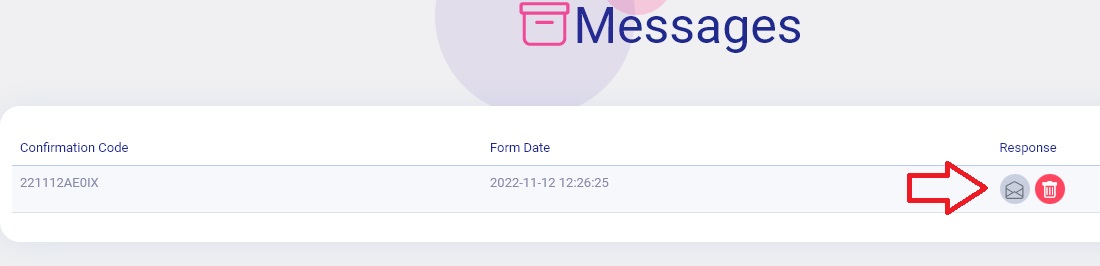
To access an individual entry, navigate to the Easy Form builder page in the WordPress admin area. Click on the response icon, as shown in the image below.
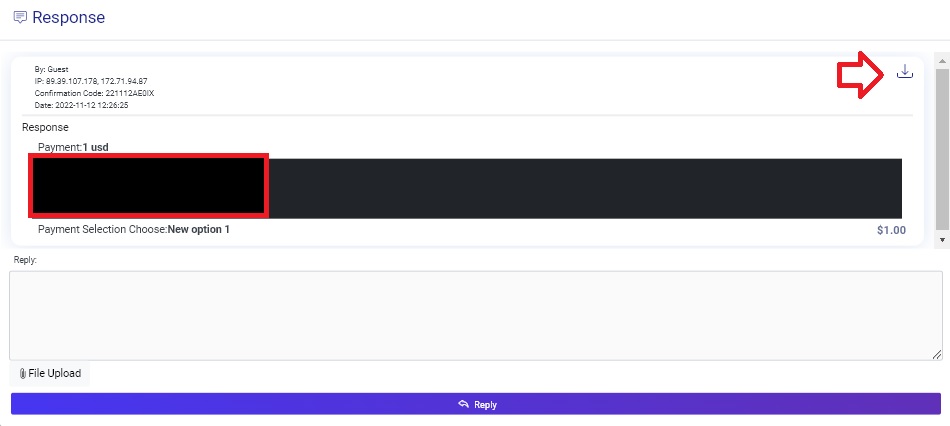
You will then see a list of responses. To print or export an individual entry, click on the download icon, as indicated in the image below.
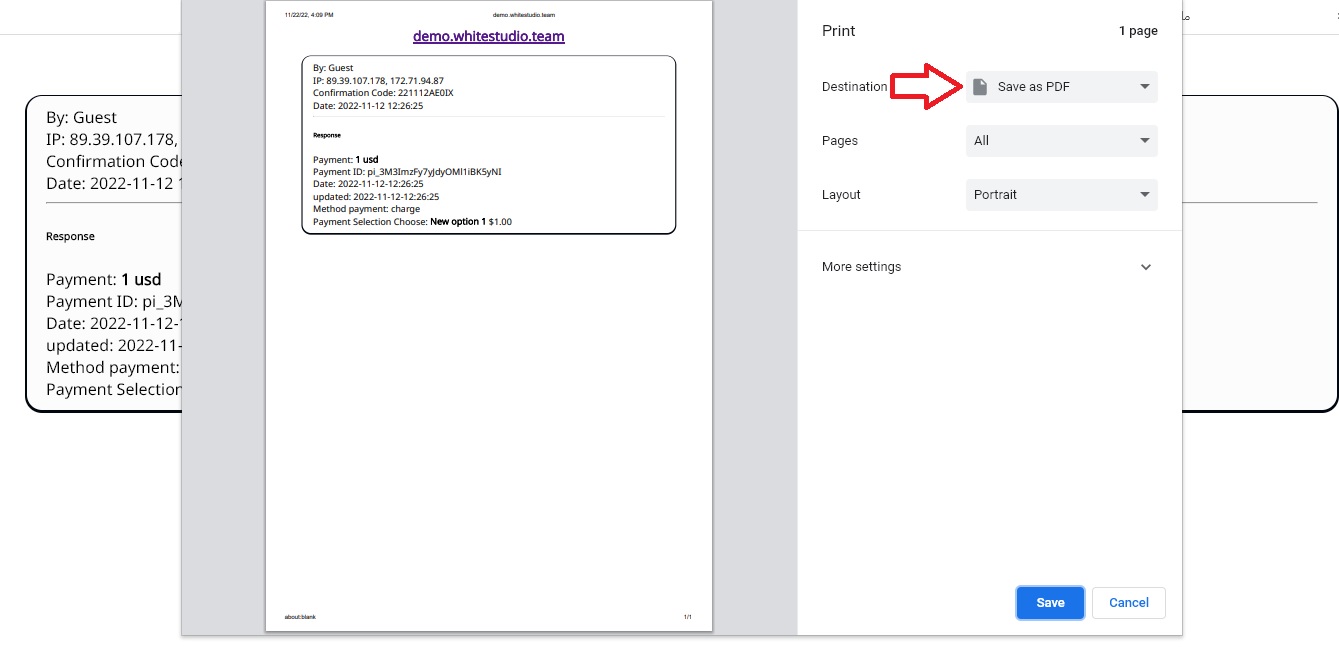
This will take you to the individual entry page. In the response box on the right, you’ll see options to save as PDF, print, and more. You can also change the destination and print the response on physical paper.
What more do you expect? Hurry up, start with Easy Form Builder right now!